
Customer App Token (CAT) — Product Guide
Right now, connecting your app to the Gupshup WhatsApp API uses a single API key that never expires. If that key ever gets exposed, whoever has it can keep using it indefinitely unless deleted manually via API or UI by the business or partner and there's no way to limit the damage.
Customer App Tokens (CATs) replace this with a two-part, time-bound system:
- Customer Secret — the master key for your whole account. Generated once in the console, valid for up to 90 days.
- Customer App Token (CAT) — a short-lived token (24 hours) that your app actually uses to make API calls. Generated as many times as needed from your secret.
Think of the secret as the master key to your office, and the CAT as a visitor badge that expires at the end of the day. If a CAT ever leaks, it stops working on its own within 24 hours.
Migration deadline: 31 March 2027All apps must complete migration to CATs by 31 March 2027. After this date, account-level and app-level API key authentication is deprecated and stops working.
Once an app has fully migrated, its old API keys are no longer needed — delete them yourself from Settings, or ask Gupshup support to delete them on your behalf.
If your app is linked to a Gupshup partnerCATs don't apply once an app is partner-linked. The recommended mechanism there is Universal Token (UT), which overrides both API keys and CATs for partner-linked apps — same 31 March 2027 deadline applies. If you see the CAT option before your app is linked to a partner, you can ignore it; once linked, use UT instead.
Getting started
-
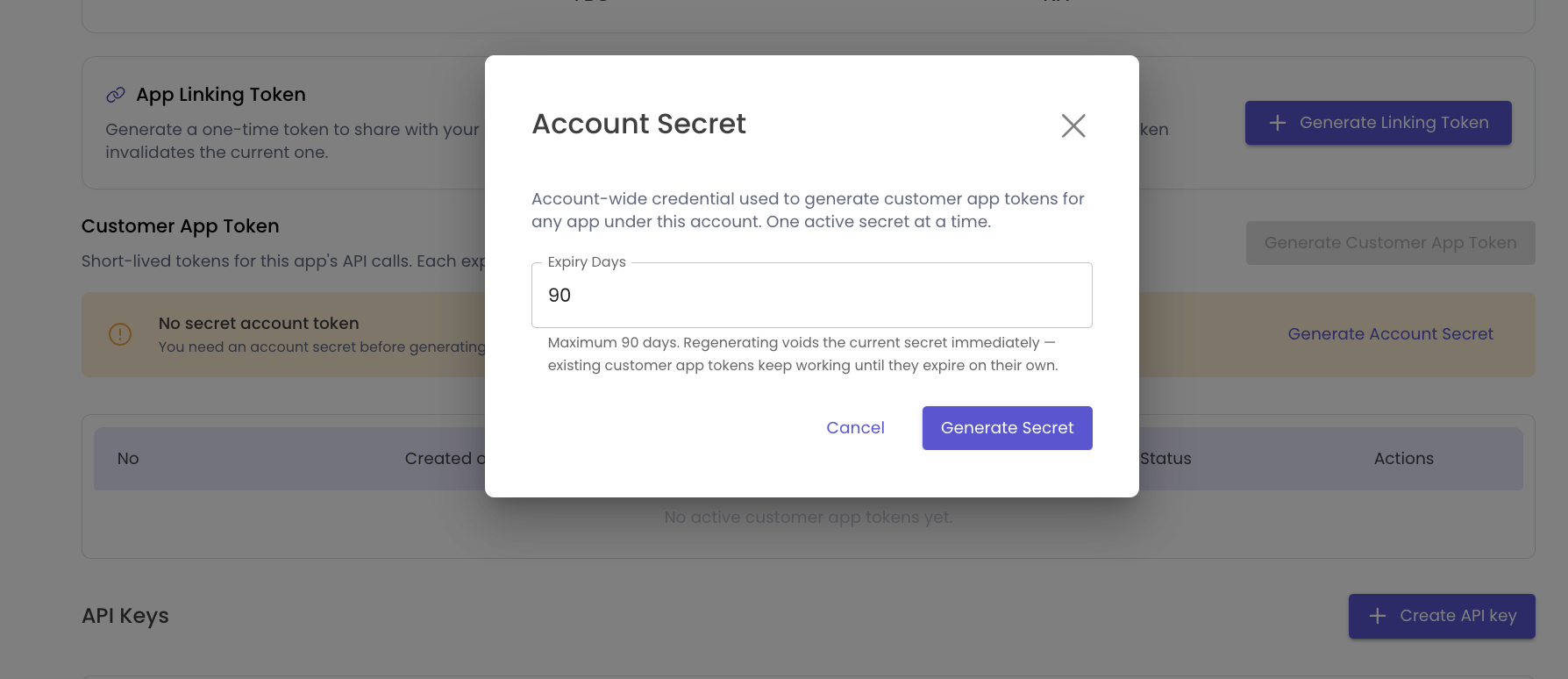
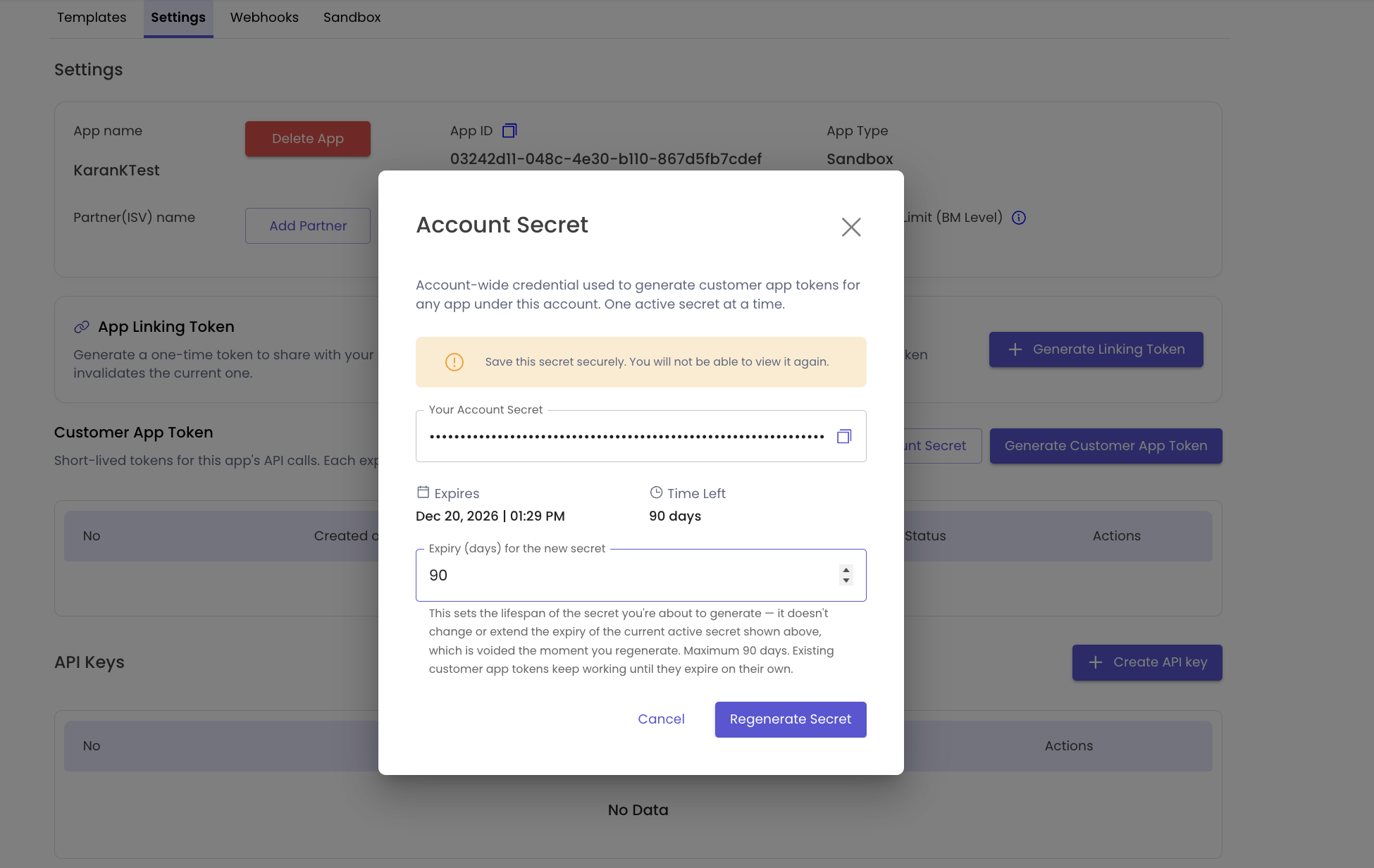
Generate your Customer Secret — Go to your account Dashboard and generate a secret. It's shown to you once, so save it somewhere secure (like a password manager) before you navigate away.
-
Get a CAT for your app — Use the UI using the secret you just generated or Call one API endpoint (
POST /wa/app/{appId}/auth/app-token), passing your secret in a header (X-Customer-Secret). You'll get back a token.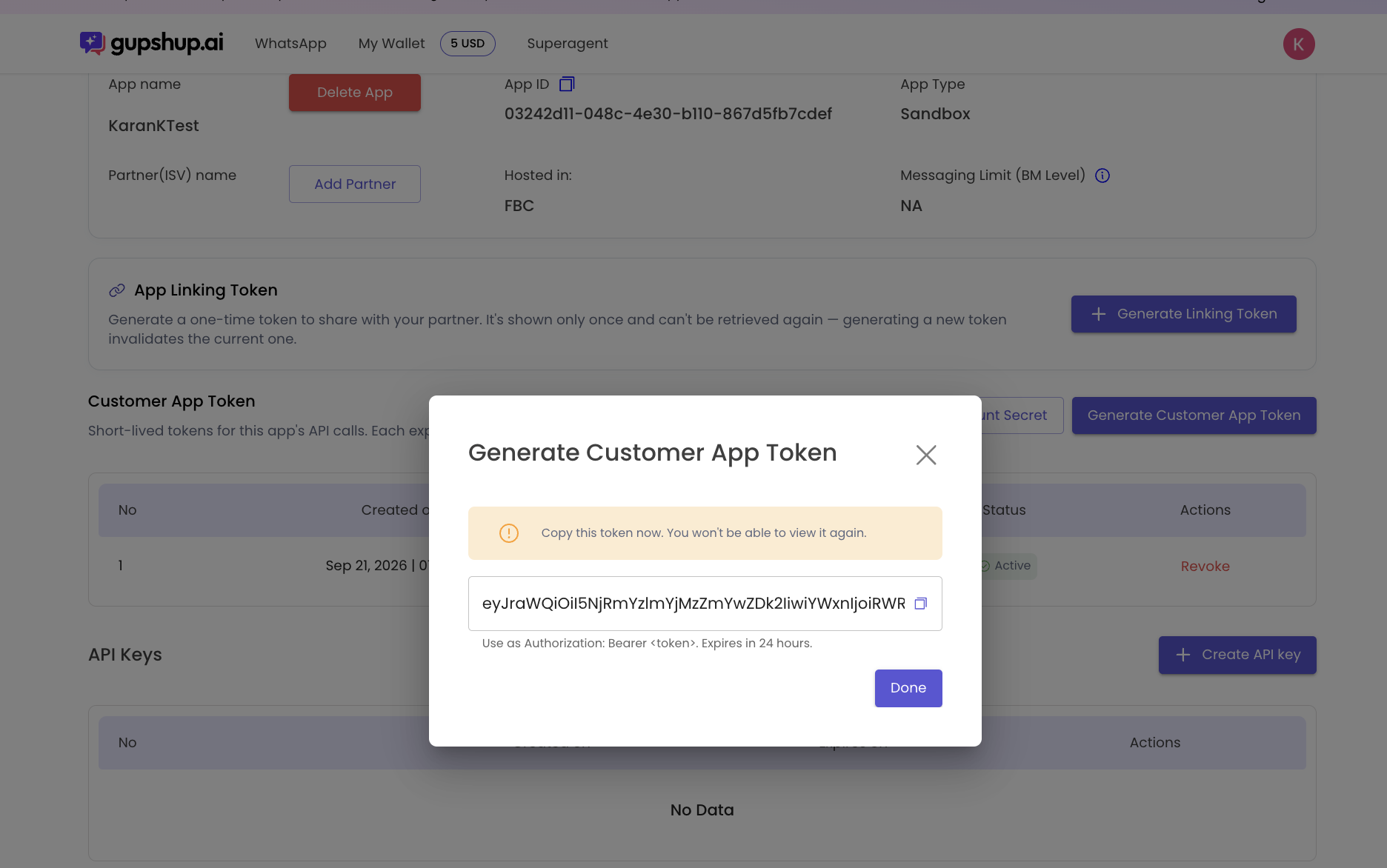
-
Use the token — Add it to your API calls the normal way:
Authorization: Bearer <token>. -
Refresh when it expires — Each token lasts 24 hours. When it's close to expiring, just request a new one the same way — no downtime, no approval step.
You can have up to 3 active tokens per app at once, so you can rotate them without any interruption to your integration.
Example request
Once you have your secret, minting a CAT looks like this:
curl -X POST "https://api.gupshup.io/wa/app/{appId}/auth/app-token" \
  -H "X-Customer-Secret: <your-customer-secret>"
Response:
{
  "token": "<jwt>",
  "expiresAt": "2026-09-22T10:15:00Z"
}
Use the token value as-is on your app calls:
Authorization: Bearer <jwt>Where to find this in the Gupshup Platform
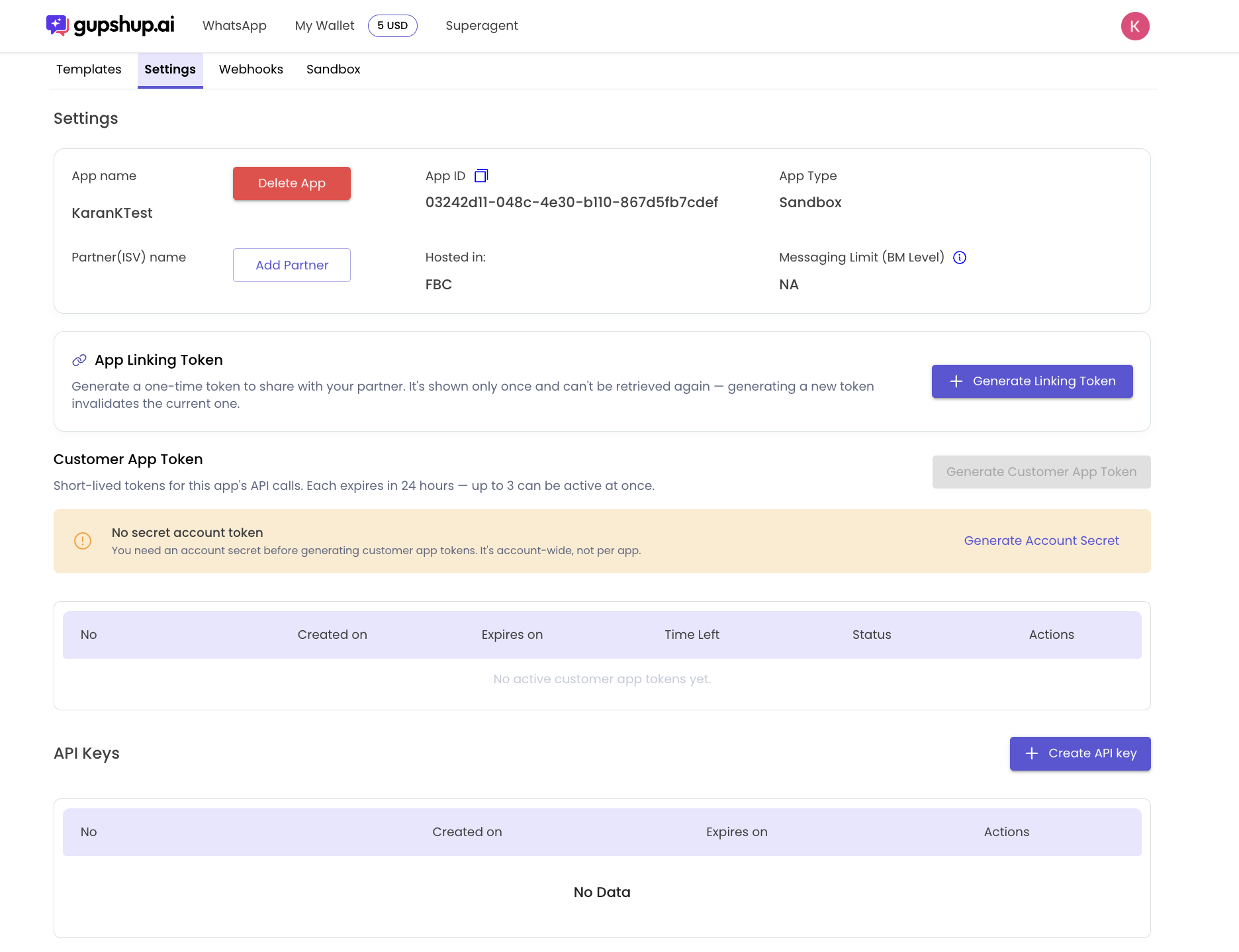
This lives on your app's Settings page, alongside Templates, Webhooks, and Sandbox.
- App Linking Token — now a mandatory step to link an app to a partner. App ID + API key alone is no longer enough. Generate a token from Settings and share it with your partner, or enter the Partner Linking Token they give you.
- Customer App Token section — has a "Generate Customer App Token" button (greyed out until you have an account secret) and a table of your app's active tokens, with columns for Created on, Expires on, Time Left, Status, and Actions.
- API Keys section — sits below, still showing your legacy static keys with its own "Create API key" button. This is the old method CAT is replacing, so it stays visible and usable during migration.
No secret yet?You'll see a banner: "No secret account token — You need an account secret before generating customer app tokens. It's account-wide, not per app." with a Generate Account Secret link right there.
At a glance
| Customer Secret | Customer App Token (CAT) | |
|---|---|---|
| Belongs to | Your whole account | One specific app |
| How long it lasts | Up to 90 days | 24 hours |
| How you get it | Generated once, in the Dashboard | Requested anytime, using your secret |
| How many you can have | 1 at a time | Up to 3 per app |
| What it's used for | Only to request new CATs | To actually call the WhatsApp API |
Keeping things secure
Gupshup never stores your secret or your tokens as plain, readable text — everything is stored in a scrambled (hashed) form that can't be reversed. Every time a secret or token is created or used, it's logged, so if something ever looks off, our team can trace exactly what happened and when.
FAQ
What happens if I lose my Customer Secret?
It's shown only once. If you lose it, generate a new one from the Dashboard — this immediately invalidates the old secret and any CATs minted from it, so you'll need to re-mint your app's tokens too.
Can I have more than one Customer Secret?
No — only one active secret per account at a time. Generating a new one replaces the current one.
What if a CAT gets compromised?
It expires on its own within 24 hours. You can also revoke it early from the Customer App Token table in Settings (Actions column), or invalidate it immediately by rotating your secret.
Does this affect my existing integrations?
Not immediately. Your existing API key keeps working, and CAT is opt-in — nothing changes until you start using it.
Where do App Linking Tokens fit in?
They're a separate requirement for partner linking — now mandatory when linking an app to a Gupshup partner, not used for your regular API calls.
Updated about 1 hour ago